What is automated Super Stapling?
Xonboard can perform automated super stapling for each of your new employees to ensure you always stay compliant with superannuation regulatory requirements.
Automated Super Stapling utilises the ATO Super Stapling API to automatically perform a request for the employee's stapled super fund. This helps your employees easily find the details of their existing super fund. It also means you’ll have a valid super account to pay their contributions into, in instances where they do not provide a super choice.
Why is activating automated super stapling necessary?
- Help your employees find their existing super fund
- Validate employees super fund details
- Reduce risk of contribution bouncebacks when paying super
- Set up once and forget, no need to login to MyGov
- Automate your compliance obligations
How to setup automated Super Stapling
In order to activate automated super stapling you need to provide permission to us to access the Super Stapling API on behalf of your business. The following instructions will guide you through the process of setting up the necessary permissions within ATO Access Manager.
A step by step guide with pictures is available, and a clickable demo.
Before commencing, you will need to obtain your unique software ID (SSID) from Xonboard. To do this:
- In the Xonboard dashboard, click on your organisation name, then click Configure superannuation.
-
Open Step 2: Automated super stapling, then:
- Review your organisation details
- Complete the declaration by clicking Agree & Declare
- On the next screen, under Notify the ATO of a hosted service, take note of your unique Software ID (SSID).
Then, you'll need to add the software details into your ATO Access Manager portal. To do this:
- Login to ATO Access Manager using your myID
- Select a business entity: If you have multiple business entities, select the business entity you'd like to setup super stapling for.
- Under My hosted software services, click Notify the ATO of a hosted service.
-
Search for the following provider details:
- Provider name: SuperAPI.com.au
- Provider ABN: 67 674 661 244
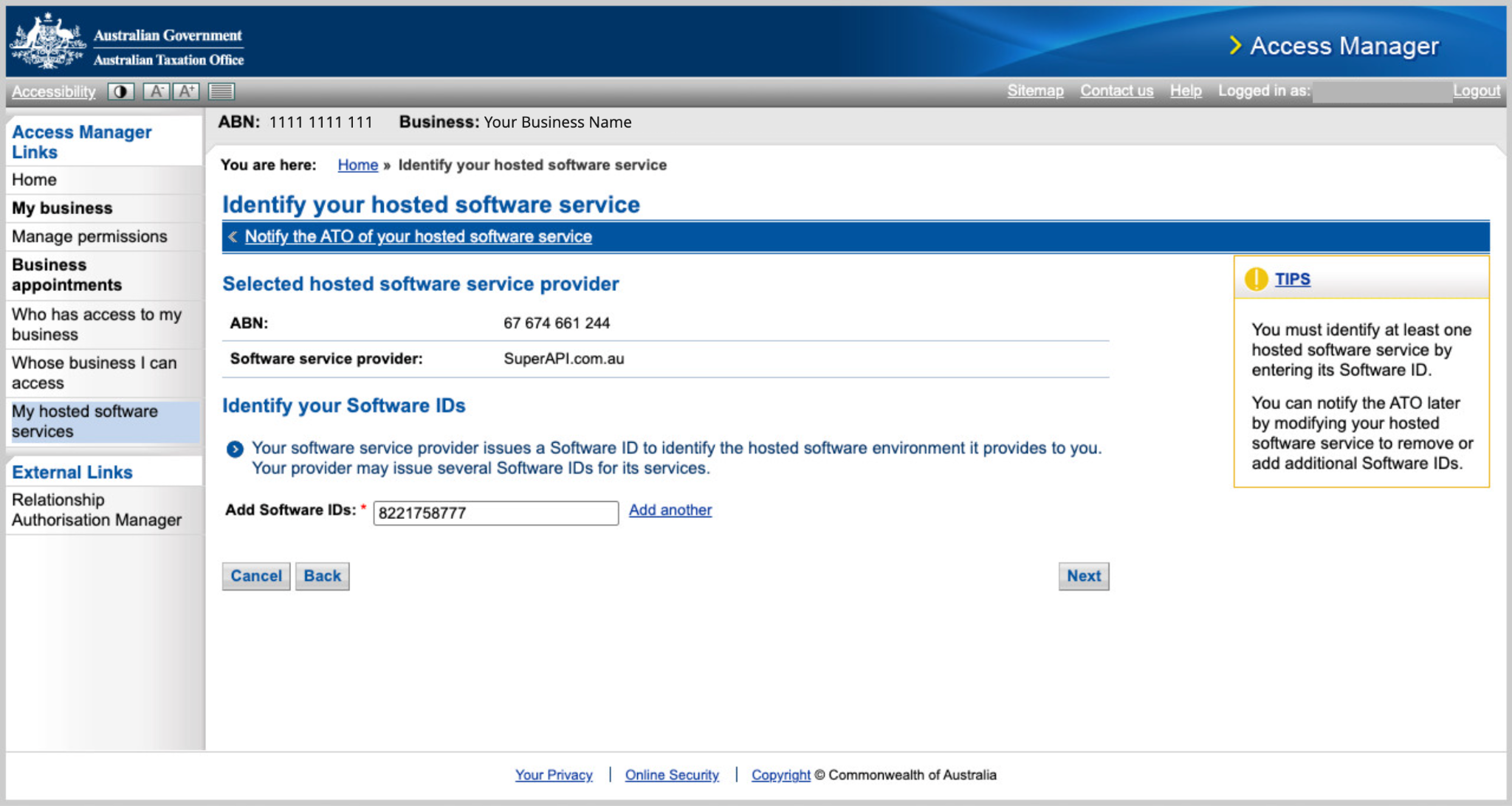
- Enter your unique software ID (SSID).
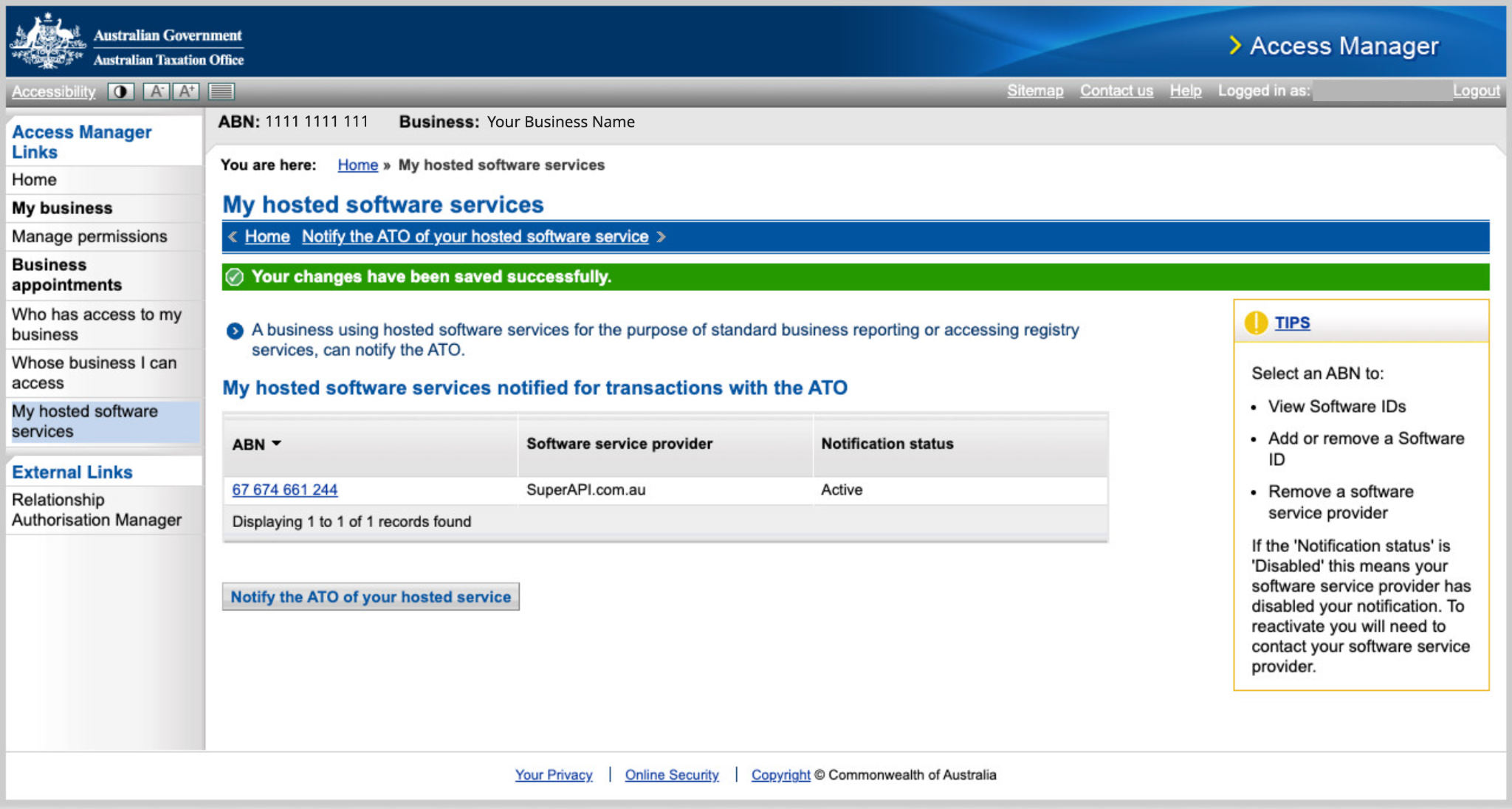
- Click Next, then click Save to complete the authorisation.
Once you’ve set this up in ATO Access Manager, you’ll need to go back to the ATO connection page in Xonboard and click Check ATO Connection to confirm the setup was successful.
Clickable Demo: How to setup Super Stapling via ATO Access Manager
Step by step guide (with pictures)
-
Login: Login to
ATO Access Manager
using your
myID
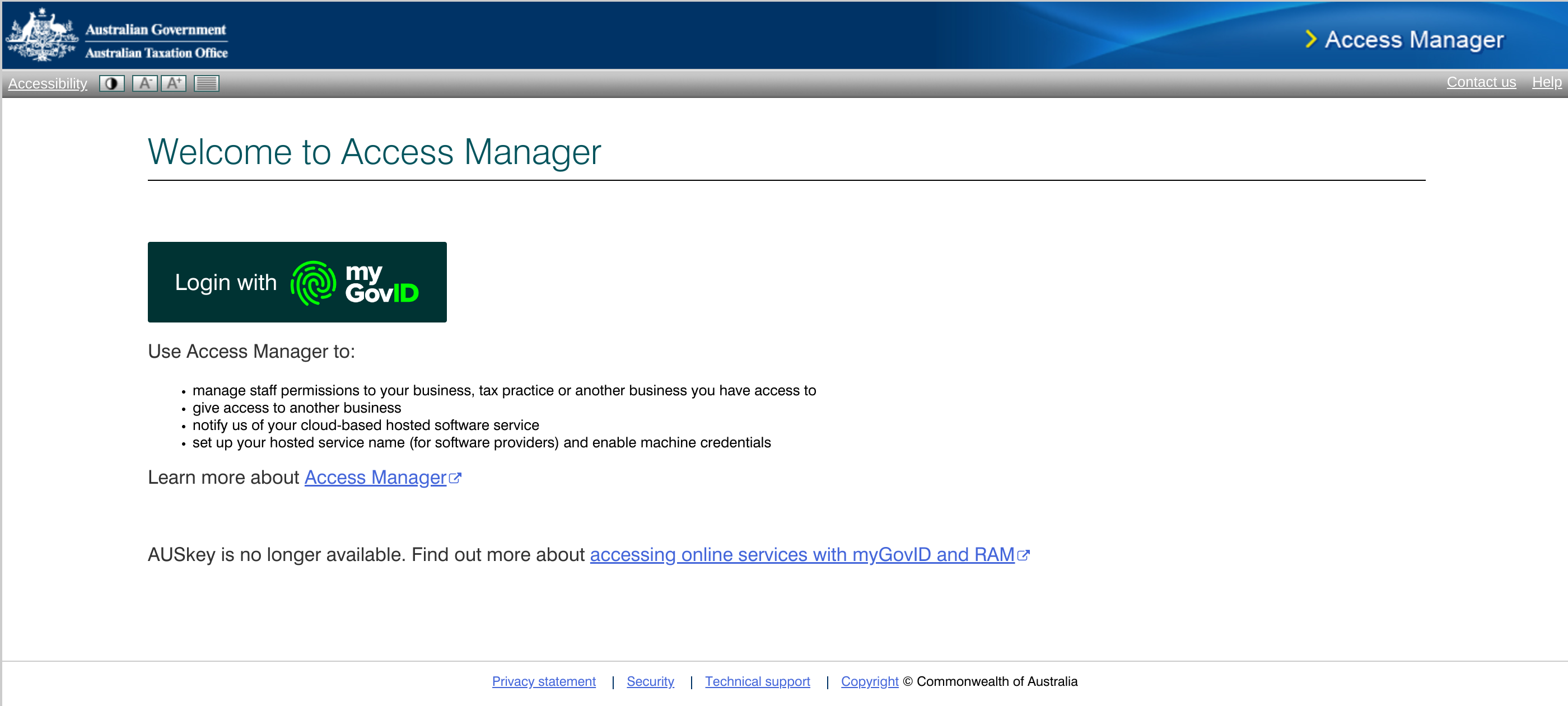
- Select a business entity: If you have multiple business entities, select the business entity you'd like to setup super stapling for.
-
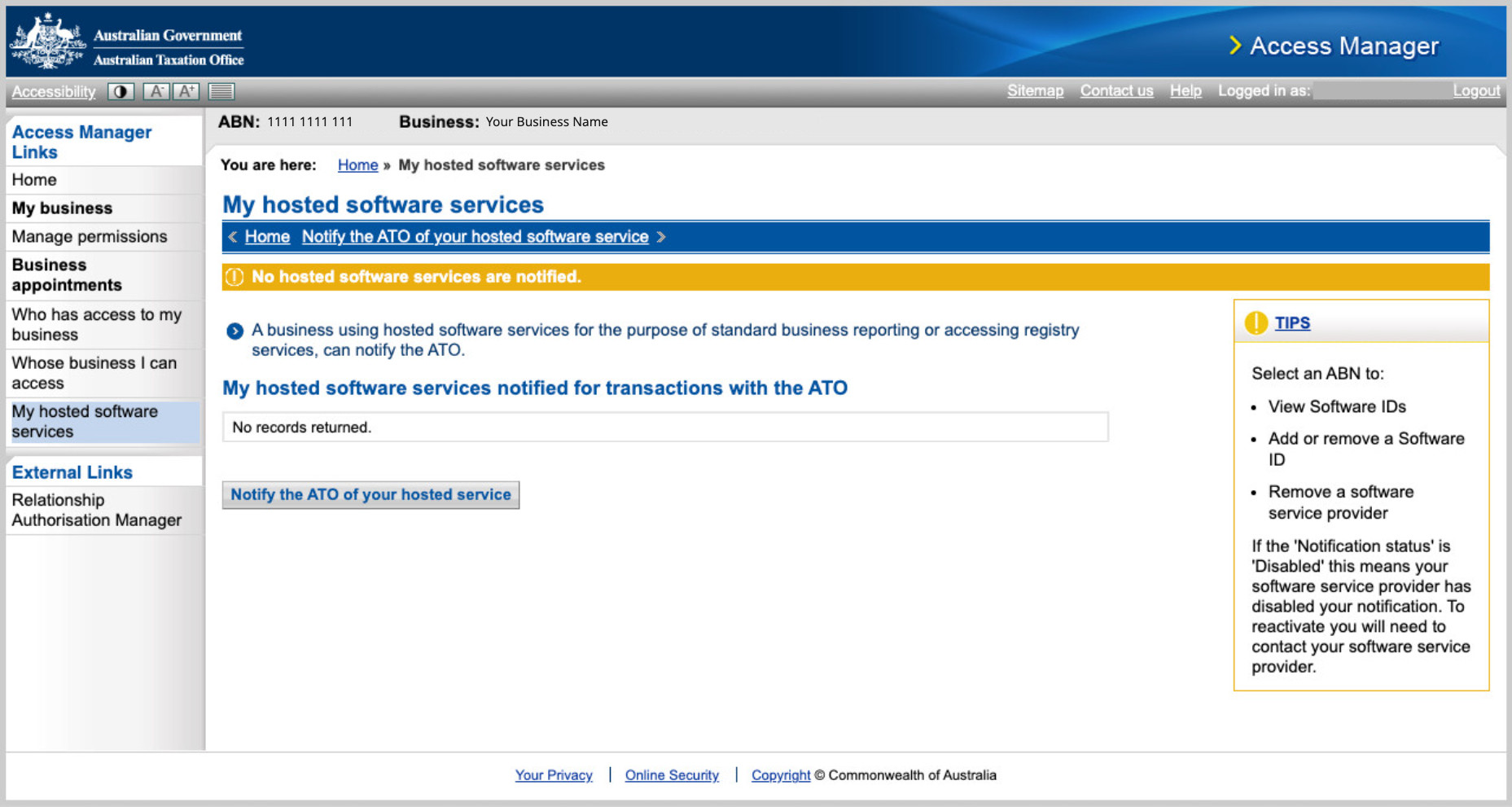
Under My hosted software services, click Notify the ATO of a hosted service.
-
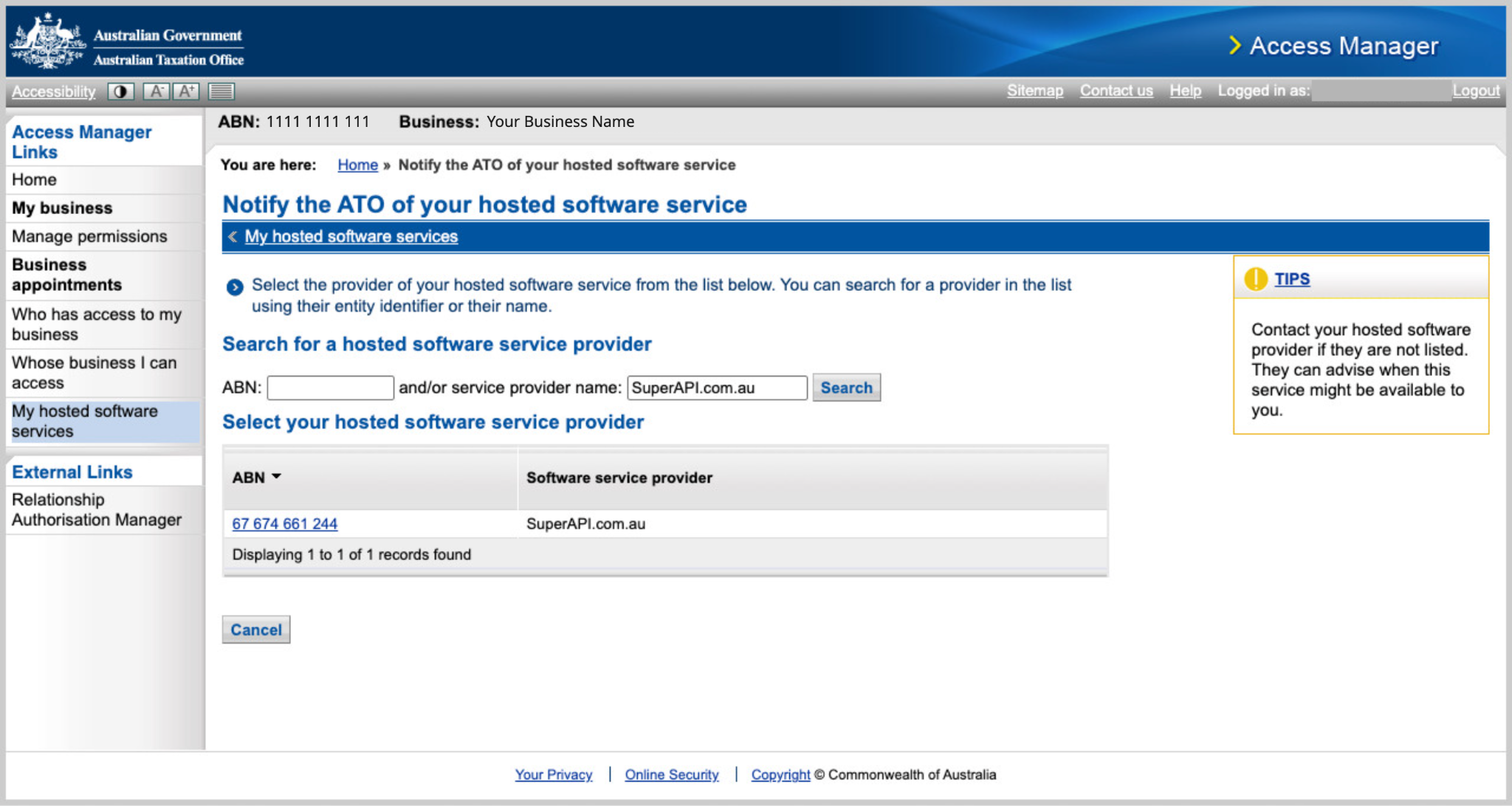
Search for the following provider details:
- Provider name: SuperAPI.com.au
- Provider ABN: 67 674 661 244
-
Enter your unique software ID (SSID).
-
Click Next, then click Save to complete the authorisation.